
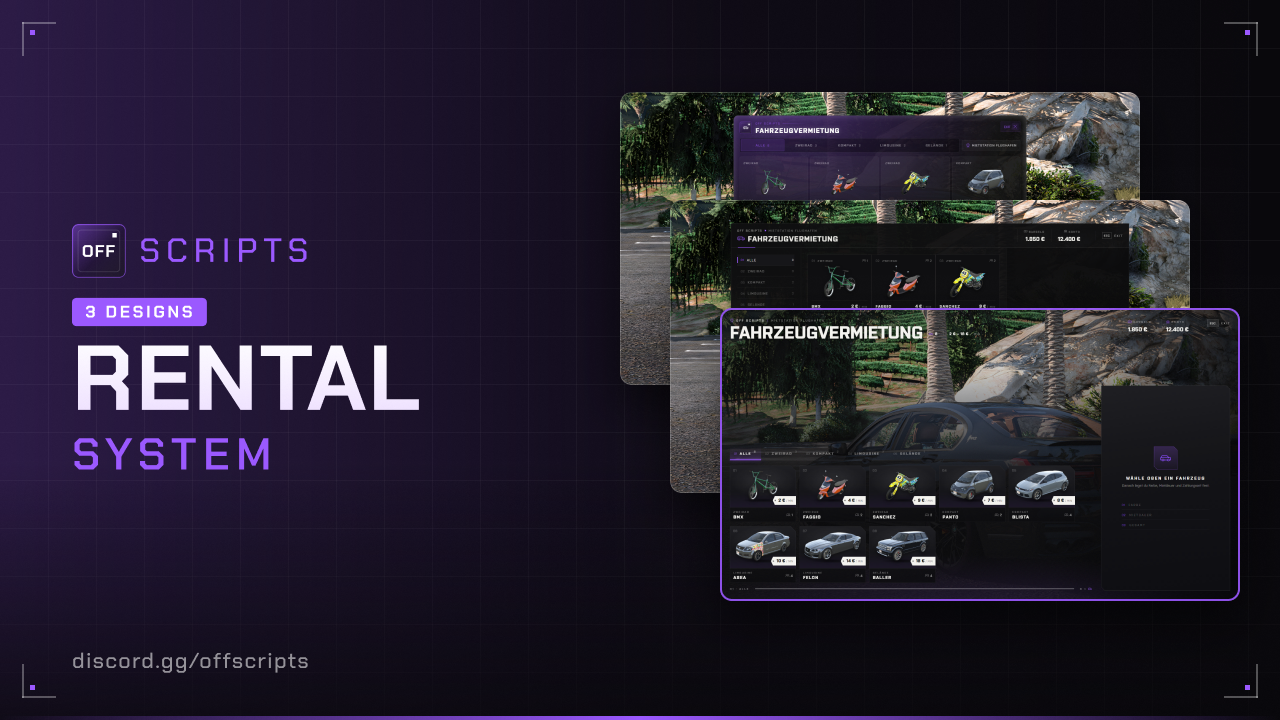
Rental
Vehicle rental: At rental stations, the player picks a vehicle, color and rental time, pays per minute and gets the vehicle right at the pickup spot – cars, boats or aircraft. When the time runs out, it disappears again; anyone who is done earlier returns it before that.
- ESX Legacy (
es_extended) - OneSync
Features
- Multiple stations with NPC or marker, their own pickup spot and optionally their own vehicle selection.
- Three station types: car rental, boat rental (pickup spot in the water) and aircraft rental (runway or helipad) – each with its own vehicle list, its own blip and its own texts in the menu.
- Price per minute, payment with cash or bank, remaining time display with warnings before it runs out.
- Early return: if the vehicle is drivable and at the pickup spot, part of the unused minutes is refunded. Otherwise the rental ends without a refund. Discord log of every return.
- One rental per player. If spawning fails, the money is refunded.
Installation
- Put the
off_rentalfolder into yourresourcesfolder. - Add to your
server.cfg– after ESX:
ensure es_extended
ensure off_rental- Optional: enter the webhook for returns in
config/settings/config.server.lua.
Configuration
config/settings/config.lua
| Option | Default | Description |
|---|---|---|
serverInfo.name | 'OFF SCRIPTS' | Server name, shown in the UI instead of "OFF SCRIPTS" |
serverInfo.locale | 'de' | Language: de, en, pl, fr, es, it or nl |
serverInfo.color | { 155, 89, 255 } | UI color (RGB) |
serverInfo.design | 3 | UI design: 1 = Classic, 2 = Receipt, 3 = Storefront |
blur | true | Blurred background while the menu is open |
payment | 'both' | 'cash', 'bank' or 'both' (the player chooses) |
rentalMinutes | 1–120, step 5, start 30 | min, max, step and default of the rental time in minutes |
warningMinutes | { 5, 1 } | A warning comes this many minutes before the end |
refundPercent | 50 | Early return: this percentage of the unused minutes is refunded, 0 = no refund |
platePrefix | 'RENT' | Start of the license plate (max. 4 characters), e.g. RENT4821 |
ped / marker / blip | Mechanic / disc, 2 m / on | Look of NPC, marker and blip – marker.size is also the area for E, blip.sprite is set per type (car, boat, aircraft) |
config/settings/config.stations.lua – Rental stations
| Field | Description |
|---|---|
label | Name in the menu |
type | Optional: 'car' (default), 'boat' or 'aircraft' – sets the vehicle list, blip and texts |
interactionType | 'ped' (NPC, position = vec4 with heading) or 'marker' (circle, position = vec3) |
spawn | vec4 – pickup and return spot. Must be clear: road or parking lot, in the water for boat, on a runway or helipad for aircraft |
vehicles | Optional: which model from the type's list are available here. Leave out = all |
config/settings/config.vehicles.lua – Vehicles and colors
Config.vehicleshas one list per type:car,boatandaircraft.- Per vehicle:
model,label,category(tab in the menu),price(price per minute) andseats. - If a vehicle image is missing (e.g. addon vehicles), put it at
web/dist/assets/vehicles/<model>.png. Config.colors:label= name in the menu,rgb= paint color ({ r, g, b }, each 0–255).
config/functions.lua
| Function | Purpose |
|---|---|
Notify(message, type) | Custom notify (warnings, rental end …) · Server: Notify(source, message, type) |
HelpNotify(text) | Help text at the station |
ClientVehicleRented(vehicle, plate) | After spawning – e.g. keys or fuel |
Discord logs
You enter the webhook in config/settings/config.server.lua (server-side only): returns logs every early return with vehicle, station, unused minutes and refund. An empty url ('') turns the log off. In addition there are name (name of the bot), color (RGB) as well as avatar and image (image URL, '' = none).
Languages
All texts are in config/locales/<language>.json. For your own language, copy a file, translate it and set serverInfo.locale – keep placeholders like %d and {price} as they are.
In game
At the station, press E, choose vehicle, color and rental time and pay with Cash or Bank – you're placed right in the vehicle. The rental ends when the time runs out, the player leaves the server or the vehicle is deleted. Rentals aren't saved: when the script restarts, all rental vehicles disappear without a refund.
Early return – only at a station of the same type:
- Drive the vehicle onto the marked pickup spot, stop and press E.
- Or press E at the station: the menu shows the active rental, the remaining time and the refund. Return vehicle ends the rental.
Refund = unused full minutes × price per minute × refundPercent, paid to the same account as the payment. If the vehicle isn't at the pickup spot, is destroyed or gone, the rental can only be ended in the menu – after a confirmation and without a refund. The vehicle is deleted afterwards; with boats the player is put back on land.
Common issues
| Problem | Solution |
|---|---|
[ERROR] in the server console | The script checks the setup on start. Read the message, fix it, restart the script. |
| “The pickup spot is currently blocked” | Something is standing at spawn. Clear it or move spawn – nothing is charged. |
| “This vehicle isn't available here” | model is wrong, not installed, not in the type's list or not in the station's vehicles. |
| Boat or aircraft spawns wrong | spawn isn't in the water or not clear on a runway or helipad – record the position again. |
| Return isn't possible | Only at a station of the same type; in the vehicle, stop first. |
| No key for the rental vehicle | Add your key script in ClientVehicleRented. |
| NPC is stuck in a wall or floating | Adjust position – z is the height the player stands on. |
Not bought yet?
View Rental in the shop