
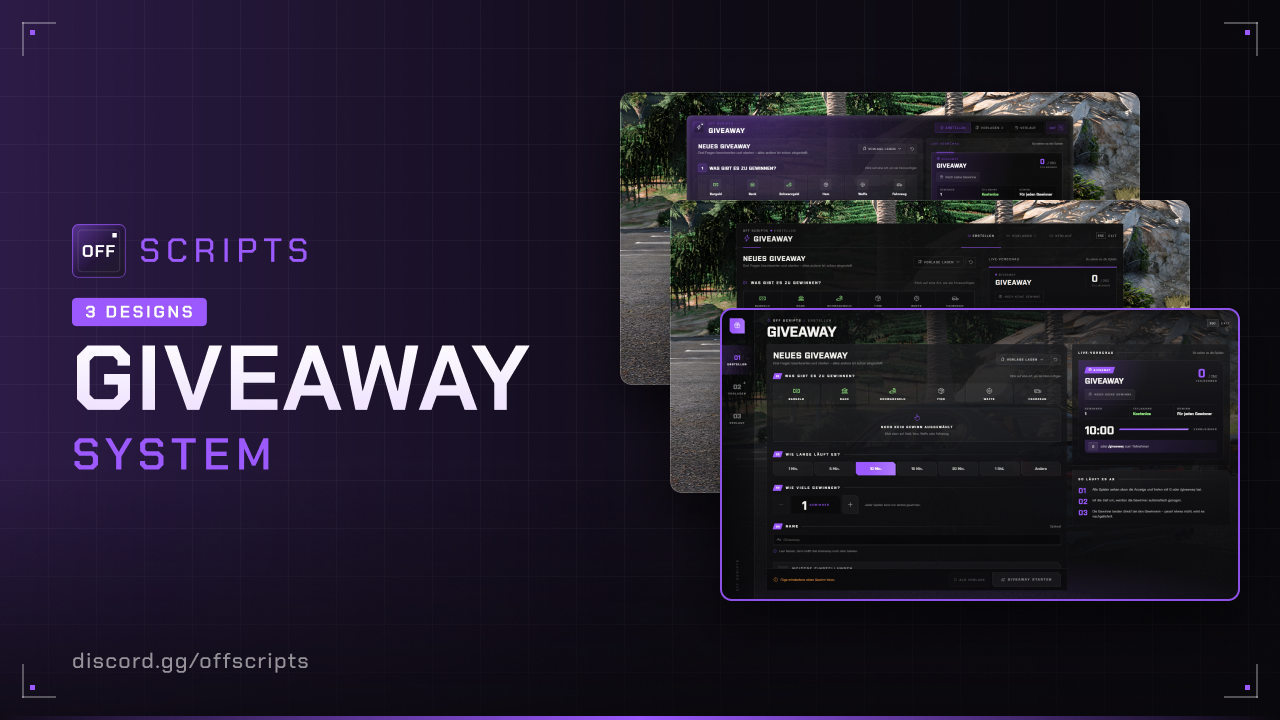
Giveaway
Create giveaways right in game: start them immediately or save them as a preset that starts automatically at fixed times if you want. Players join by key or command, the winners are drawn live with a name reel. The script creates the tables itself.
- ESX Legacy (
es_extended, tested with 1.14) - oxmysql
owned_vehiclestable for vehicle rewards (e.g. from ESX or off_vehicleshop)- For item images: off_inventory (or your own path in
itemImages)
Features
- Admin menu (
/giveawayadmin): Create giveaways on one page (rewards, duration, winners, optionally a name), with a live preview of how players see it. - Rewards: Items, weapons, money (cash, bank, black money or custom accounts) and vehicles. All vehicles from the game, including addon vehicles, are available with image and category.
- Fixed reward or loot pool: Either every winner gets everything from the list, or each one draws one reward by chance, e.g. 60 % money, 30 % bank, 10 % vehicle.
- Rules: Number of winners, entry fee, duration, maximum and minimum members. If too few join, it is cancelled and refunded.
- Presets: Save giveaways and start or duplicate them with one click, or adjust them in the Create tab.
- Start automatically: Can be turned on per preset, on fixed weekdays and times, e.g. every Friday at 20:00 and 22:30. Optionally only when enough players are online.
- History: Control the running giveaway live (draw now or cancel) and view the last 50 giveaways with their winners.
- Player display: At the top of the screen with rewards, timer and member count. Join with G or
/giveaway, H shows and hides the display. - Late delivery: If a reward doesn't fit into the inventory or the winner is offline, it is stored and delivered automatically later.
- Discord logs for admin actions, giveaways and every reward handed out.
Installation
- Put the
off_giveawayfolder intoresources. - Add to your
server.cfgafter oxmysql and ESX:
ensure oxmysql
ensure es_extended
ensure off_giveaway- Add your group to
admin.groupsand open/giveawayadmin.
Items and weapons must exist in ESX (items table or the ESX weapon list). Otherwise the giveaway can't be saved or started. The server console reports presets with missing items on start.
Configuration
config/settings/config.lua
| Option | Default | Description |
|---|---|---|
serverInfo.name | 'OFF SCRIPTS' | Server name, shown in the UI instead of "OFF SCRIPTS" |
serverInfo.locale | 'de' | Language: de, en, pl, fr, es or it |
serverInfo.color | { 155, 89, 255 } | Color of the menus and the player display |
serverInfo.design | 3 | UI design: 1 = Classic, 2 = Receipt, 3 = Storefront |
blur | true | Blurred background while the admin menu is open |
admin.command / groups | 'giveawayadmin' / { 'projektleitung' } | Command for the admin menu and which groups may open it |
join.command / key / keyLabel | 'giveaway' / 47 / 'G' | Command and key to join · key as control ID, keyLabel is shown in the display |
toggle.key / keyLabel | 74 / 'H' | Key to show and hide the display |
itemImages | 'nui://off_inventory/web/dist/images/items/%s.png' | Path to the item images, %s = item name |
accounts | Cash, bank, black money | Accounts available as money rewards: name = ESX account, label = display name, optional icon (Phosphor icon) |
feeAccounts | { 'money', 'bank' } | Entry fee: the first account with enough money pays, so cash and otherwise bank |
limits.maxMembers / maxWinners | 2500 / 25 | Maximum values in the menu |
limits.maxDuration | 180 | Longest duration in minutes |
vehicles.plateFormat | 'LLL NNN' | Plate for won vehicles: L = letter, N = number, at most 8 characters |
vehicles.types | see file | Type in owned_vehicles per category (car, motorcycle, boat, heli, plane), must match your garage |
vehicles.blacklist | Military vehicles | Models that can't be picked in the menu |
pendingInterval | 120 | Pending rewards are retried every this many seconds |
Add your own account as a reward, e.g. casino chips:
accounts = {
  { name = 'money',  label = 'Bargeld' },
  { name = 'bank',   label = 'Bank' },
  { name = 'chips',  label = 'Casino-Chips' },
},
config/functions.lua
This is where you connect your own scripts. Errors in it are caught, the script keeps running.
| Function | Purpose |
|---|---|
Notify(message, type) | Notify · Server: Notify(source, message, type) |
ClientCanUseKeys() | false = don't join by key or toggle the display right now |
ServerCanJoin(source, giveaway) | false = player may not join, e.g. in jail |
ServerGiveawayStarted(giveaway) | A giveaway starts, e.g. your own Discord post |
ServerGiveawayEnded(giveaway, winners) | Drawn, winners with source (nil = offline), identifier, name and reward |
ServerGiveawayCancelled(giveaway, reason) | Cancelled, reason = 'admin' or 'members' |
ServerRewardGiven(source, reward) | After every reward handed out or delivered later |
config/settings/config.server.lua and languages
Discord webhooks for admin (presets), giveaway (start, draw, cancel) and rewards (every reward), url = '' turns a log off. All texts are in config/locales/ (one file per language).
In game
- Admin menu (
/giveawayadmin): At the top you switch between Create, Presets and History. If a giveaway is running, a LIVE hint at the top shows the remaining time. - Create: Answer three questions: what can be won, how long does it run, how many win. The name is optional, everything else is under More settings. On the right you see the display as players see it. Start giveaway starts it right away, As preset saves it. Load preset loads a saved preset for you to adjust.
- Rewards: At the top you pick the type. Item, weapon and vehicle open a list with image and search, money adds an amount directly. For weapons the amount is the ammo. In the Loot pool (under More settings) you give each reward a chance, 100 % in total. Spread evenly splits them equally.
- Presets: The list on the left, the editor on the right: the name at the top, below it the same questions as when creating. The name of the preset is also the name players see. Instead of the name, step 4 asks for Start automatically: pick weekdays and up to 6 times, below it you see the next start, optionally At least online. Changes only apply after Save. Start now starts the preset right away, Adjust & start opens it in the Create tab. The time is the server's.
- History: At the top you control the running giveaway, below are the statistics and the last 50 giveaways. A click on an entry shows the winners with their rewards.
- Joining: When a giveaway starts, the display appears at the top for all players. You join with G or
/giveaway, an entry fee is taken from cash first, otherwise from the bank. H collapses the display to a small bar and expands it again. - Draw: When the time runs out or an admin draws, the winners are drawn one after another with the name reel. After that everyone sees the winner list, winners also get a message. Without Animated draw the list appears right away.
- Vehicle rewards end up parked in the garage (
owned_vehicles) with their own plate, even if the winner is offline. - Late delivery: If the inventory is full or the winner is offline, he gets the reward automatically as soon as there is space or he comes back online. Refunded fees for offline players work the same way.
Only one giveaway runs at a time. An automatic start that falls into a running giveaway is skipped and noted in the console.
For developers
-- Server
local active = exports.off_giveaway:GetActiveGiveaway()        -- nil if none is running
local member = exports.off_giveaway:IsMember(source)
local ok, err = exports.off_giveaway:StartPreset('p_friday', 'Discord-Bot')
local ok, err = exports.off_giveaway:StartGiveaway({
  title = 'Event-Giveaway',
  mode = 'fixed',
  rewards = { { kind = 'account', name = 'bank', amount = 50000 } },
  winners = 1,
  duration = 600,
  maxMembers = 500,
}, 'Event-Team')
local ok, err = exports.off_giveaway:DrawGiveaway()
local ok, err = exports.off_giveaway:CancelGiveaway()

-- Client
local active = exports.off_giveaway:IsGiveawayActive()
local joined = exports.off_giveaway:HasJoined()
With StartGiveaway, duration is in seconds (at least 30). Optional are description, entryFee, minMembers and options = { reel = false } (without animated draw).
Rewards for StartGiveaway: kind = item, weapon, account or vehicle, plus name and amount. For vehicles also category (car, bike, boat, heli, plane) and label. In the loot pool (mode = 'pool') every reward needs a chance, 100 in total.
Common issues
On start the script reports errors and hints in the server console.
| Problem | Solution |
|---|---|
“You do not have permission for that” with /giveawayadmin | Add your group to admin.groups and restart. |
| “The item … does not exist in ESX” | Create the item in the items table or pick a different one in the preset. |
| Vehicle missing in the garage | Adjust vehicles.types to the types of your garage (e.g. aircraft for heli and plane). |
| Vehicle missing in the selection | Is it in vehicles.blacklist? Addon vehicles appear as soon as they are loaded in the game. |
| Preset doesn't start automatically | Check the server time, is Start automatically on? If a giveaway is already running or too few are online, the console reports it. |
| Reward doesn't arrive | Inventory full: it is retried every pendingInterval seconds and arrives automatically. |
| Key G or H doesn't work | Other scripts use the key. Change join.key / toggle.key, /giveaway always works. |
| Item images missing | Point itemImages to the image folder of your inventory. |
Not bought yet?
View Giveaway in the shop